 Aprende Português
European Portuguese for kids: a free game for ages 2–9
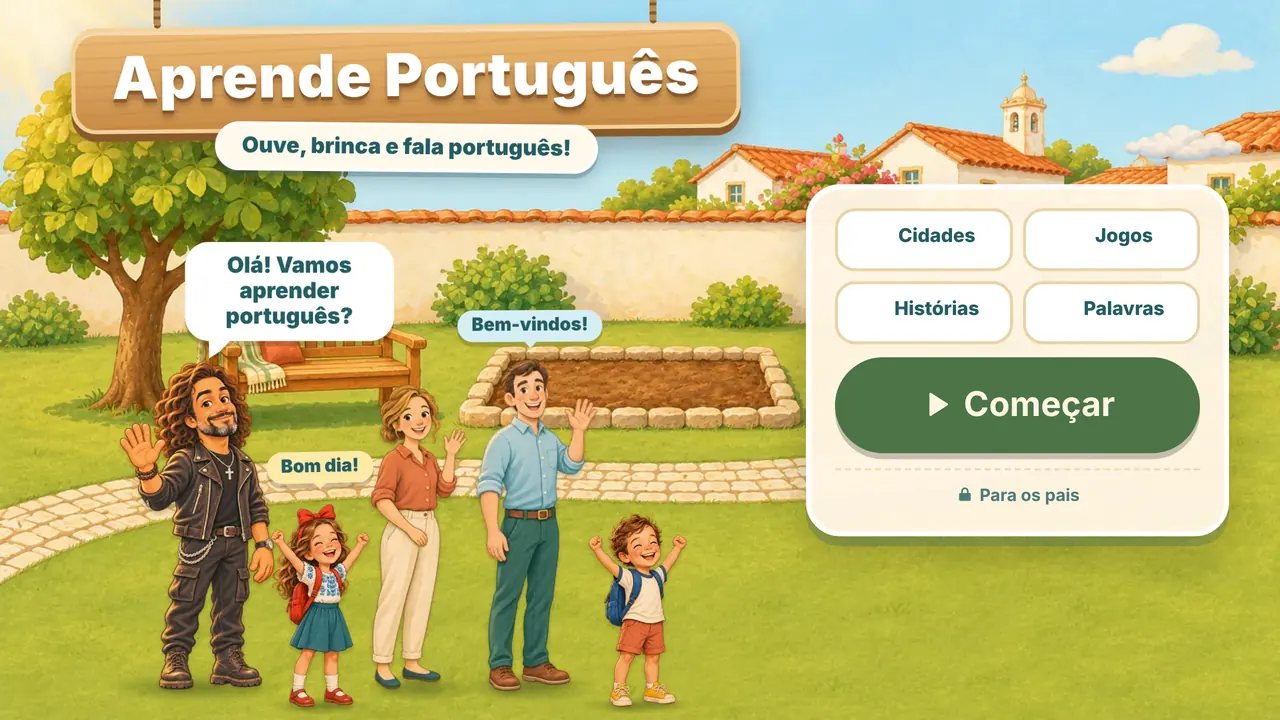
Aprende Português (“Learn Portuguese”) is a free game that teaches children European Portuguese, the Portuguese spoken in Portugal. It runs in the browser on a phone, tablet or computer, with no account and no ads. It was made for Portuguese families living abroad who want their children to hear, understand and speak the language of home.
- Ages 2–9, three levels
- Portugal’s Portuguese only
- No account, no ads
- Works offline
What Aprende Português is
It is an adventure set in a Portuguese neighbourhood: a house, a garden, a shop and a park. Each place has an illustrated story and short games in which the child hears a word or a sentence and answers by tapping, matching pairs or dragging objects to the right spot.
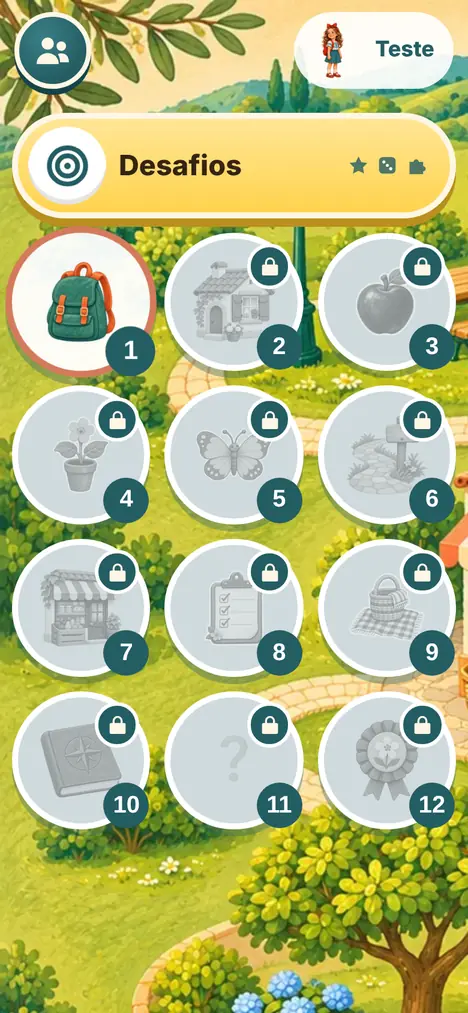
There are 12 chapters, from the things in a backpack and the colours of fruit to postcards from Guimarães, Porto, Coimbra and Lisbon, the flag and a few moments of Portuguese history. On top of that come the Desafios (“challenges”): quick mini-games for colours, counting, verbs and sentences.
Everything on screen is in European Portuguese: the vocabulary, the spelling and the informal “tu” are those of Portugal. There are no translations inside the game. The child listens to the language and uses it, the way they would with parents and grandparents.
Three levels, from 2 to 9
When an adult sets up a profile, they enter the child’s age and whether the child already understands some Portuguese. The game adapts from there.
Listen and tap
Everyday words, one at a time, with big pictures and few choices. No reading needed.
Short sentences
Colours, numbers, simple instructions (“Toca no cesto.”, tap the basket) and stories to listen to and page through.
Read and build
Putting sentences in order, verb conjugation, “o” or “a”, adjective agreement and bigger numbers.
What children learn
- Everyday vocabulary: the home, fruit, the garden, animals, the shop, a picnic, a party.
- Listening comprehension: each word is introduced, repeated in a sentence and then used in a game.
- Saying it out loud: the guide invites the child to repeat with him (“Diz comigo”). The child’s voice is never recorded or graded.
- Counting, colours and actions: in the challenges for younger children: balloons, counting and “do as I do”.
- Grammar without lessons: for ages 7–9: sentence building, verbs, articles, agreement and numbers.
- Portugal: four cities and their landmarks, the flag and a little history, told simply.
Every finished chapter earns a sticker for the album, and the words a child has learned are kept in their own word collection.
How it works
An adult creates a profile
A first name or nickname, the child’s age and their starting point in Portuguese. It takes a minute and asks for no email or password.
The child picks a chapter in the neighbourhood
Sessions are short: one story or one activity at a time, with a pause screen at the end.
The game helps when needed
After a mistake it repeats the question, removes a wrong option and, if necessary, shows the answer. There are no penalties for getting it wrong.
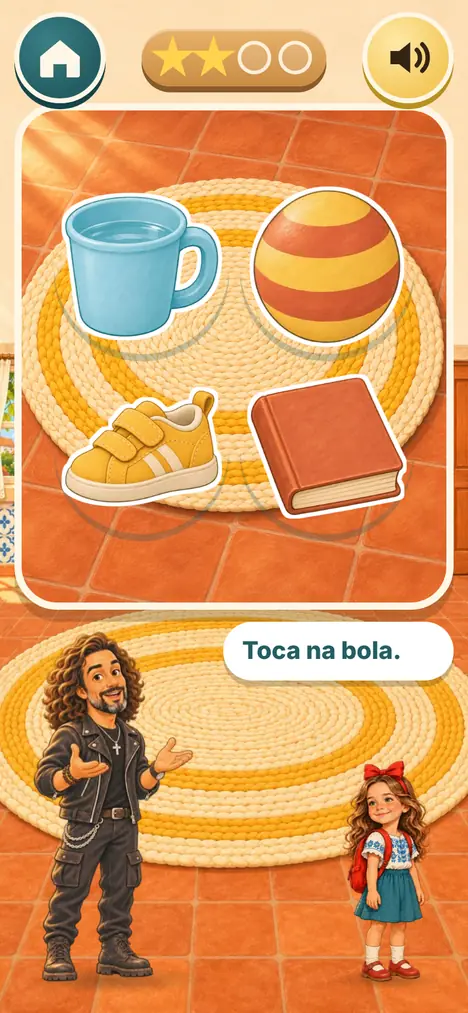
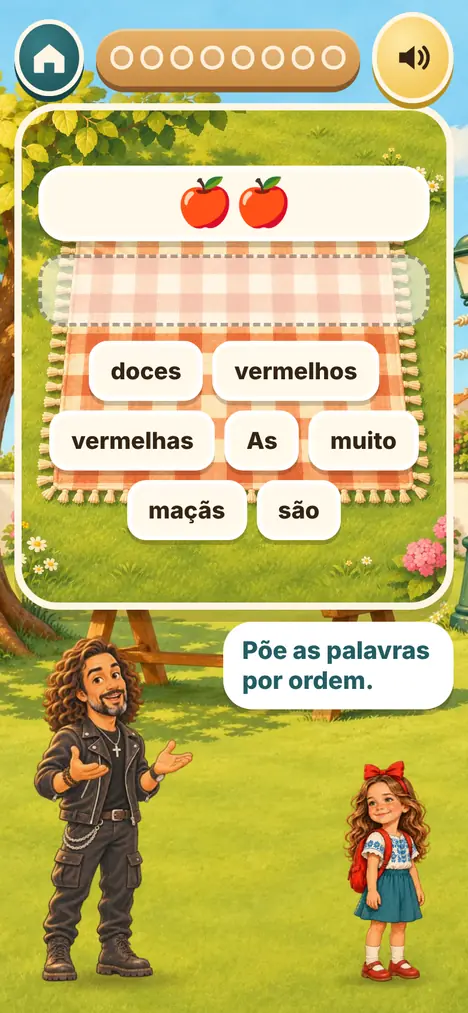
About the voice: the lines are recorded by a native speaker of European Portuguese. Recording is still in progress, so for now many lines appear as text only, in the guide’s speech bubble. With the youngest children it helps to have a Portuguese-speaking adult nearby to read those lines aloud.
The parents’ area
The start screen has a “Para os pais” (For parents) link, protected by a small question for adults. Inside you can:
- see each child’s progress, today’s play time and the words due for review;
- set a daily limit (10, 15, 20 or 30 minutes);
- adjust the voice volume, turn off sound effects, reduce motion or switch to a left-handed layout;
- save a backup file and restore it on another device.
Each device holds up to four profiles, so siblings keep their own progress.
If you don’t speak Portuguese yourself
The game, including the set-up screens, is entirely in Portuguese. These are the words you will meet when setting it up:
| Começar | Start |
|---|---|
| Para os pais | For parents |
| Quem vai jogar? | Who is playing? |
| Como te chamas? | What is your name? |
| Quantos anos tens? | How old are you? |
| Menino / Menina | Boy / Girl |
| Está a começar a aprender português | Is just starting to learn Portuguese |
| Já compreende frases simples | Already understands simple sentences |
| Seguinte / Voltar | Next / Back |
| um, dois, três, quatro, cinco, seis, sete, oito, nove | 1 to 9 (the parents’ area asks you to tap three numbers in order) |
Privacy: what stays on the device
- No account. We ask for no email, no password and no details about your child.
- No ads and no in-app purchases.
- Profiles stay on the device. The name, age and progress are stored only in the browser of that phone, tablet or computer. They are not sent to us.
- Cookieless visit statistics. We only count how often pages are opened, with a tool that sets no cookies and identifies no one. Nothing a child does in the game is recorded.
- No links out. The game does not send children to other websites or to social media.
Because everything is kept on the device, clearing the browser’s data deletes the profiles. The backup in the parents’ area protects against that.
How to install it on a phone or tablet
There is no app store involved. The game installs from the browser and gets its own icon, opening full screen.
iPhone and iPad (Safari)
- Open aprendeportugues.party in Safari.
- Tap the Share button (the square with an arrow pointing up).
- Choose Add to Home Screen and confirm.
Android (Chrome)
- Open aprendeportugues.party in Chrome.
- Tap the ⋮ menu in the top right corner.
- Choose Add to Home screen or Install app.
Computer (Chrome or Edge)
- Open the game in the browser.
- Click the install icon at the right of the address bar.
- Confirm. The game now opens in its own window.
Offline: once it has been opened with a connection, the game starts without one. Pictures and voice clips are kept the first time a chapter uses them, and the next chapter is fetched ahead of time. Before a trip, open the game once at home.
Frequently asked questions
Is this European or Brazilian Portuguese?
European Portuguese only, as spoken in Portugal. The words (“autocolante” for sticker, “ecrã” for screen), the pronunciation, the spelling and the informal “tu” are what a child hears from Portuguese relatives. The two varieties are not mixed.
How much does it cost?
Nothing. The game is free, has no ads and no in-app purchases, and needs no sign-up.
Does it work offline?
Yes, after a first visit with a connection. What has already been opened stays on the device and the next chapter is downloaded ahead. Installing the game on the home screen makes this more reliable.
Which devices does it run on?
Phones, tablets and computers with a recent browser: Safari on iPhone and iPad, Chrome on Android, and Chrome, Edge, Firefox or Safari on a computer. Nothing to download from a store.
My child can’t read yet. Can they play?
Yes. The levels for ages 2–3 and 4–6 are built on listening and tapping pictures. While some lines still have no recorded voice, it is best to have a Portuguese-speaking adult nearby to read them aloud.
My child understands Portuguese but answers in English. Is this for them?
Those are exactly the children the game was made for. When you create the profile you can say the child “already understands simple sentences”, and the game moves faster through the introductions. It does not replace talking at home or Portuguese classes, but it adds a few playful minutes of the language each day.
We don’t speak Portuguese at home. Will it still work?
It can, with patience. The game is full immersion: no English appears on screen, and there is a beginner setting. Bear in mind that part of the voice is still being recorded, so a child who cannot read will sometimes need an adult to read a line. The short word list above covers the set-up.
Is the whole game voiced?
Not yet. Recording with a native speaker is under way and many lines currently appear as text only. The game is updated as recordings are finished.
How long should a child play each day?
Sessions are short on purpose: one activity or one story at a time. In the parents’ area you can set a daily limit of 10 to 30 minutes.
I teach Portuguese as a heritage language. Can I use it in class?
Yes, freely. It runs on an interactive whiteboard, a computer or school tablets, with no pupil accounts. The challenges for ages 7–9 (sentences, verbs, articles, agreement) work well as a ten-minute exercise.
Who made it
Aprende Português is an independent project by Gonçalo Gomes, made with Portuguese children in mind who grow up with two languages, whether in Germany, France, Switzerland, Luxembourg, the United Kingdom, the United States, Canada or anywhere else. It is free and still growing: new voice recordings, pictures and challenges arrive with each update.
Ready to try it?
Open the game, create a profile and let your child pick the first chapter.